

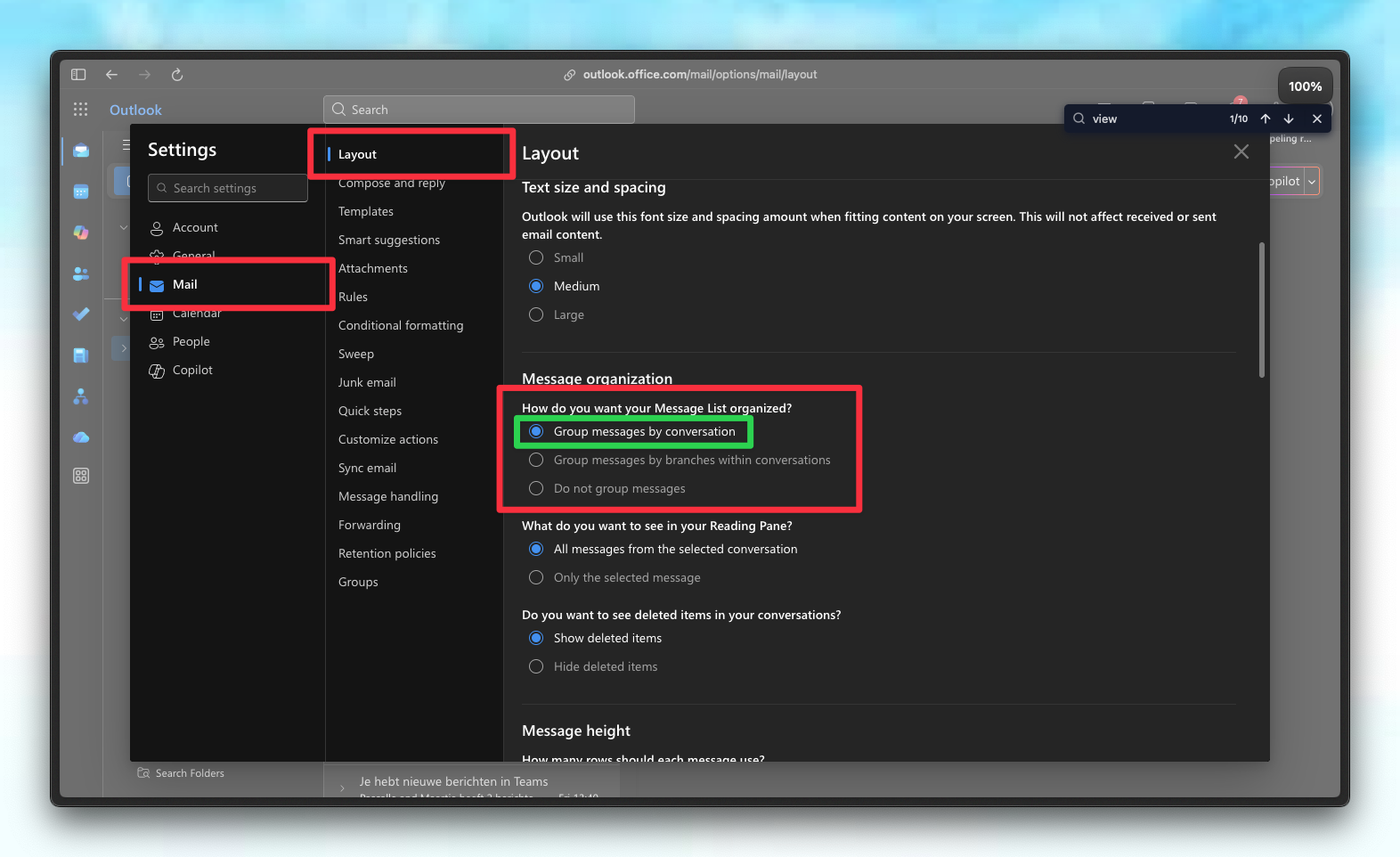
Enable Conversation View
For the best experience, we strongly recommend enabling Conversation View in Outlook.- Why? Without this setting, emails from the same thread may appear separated or “split” across different folders.
- Benefit: Conversation View groups related emails together, ensuring Untyped’s categorization applies coherently to the entire thread.
Folders vs. Categories
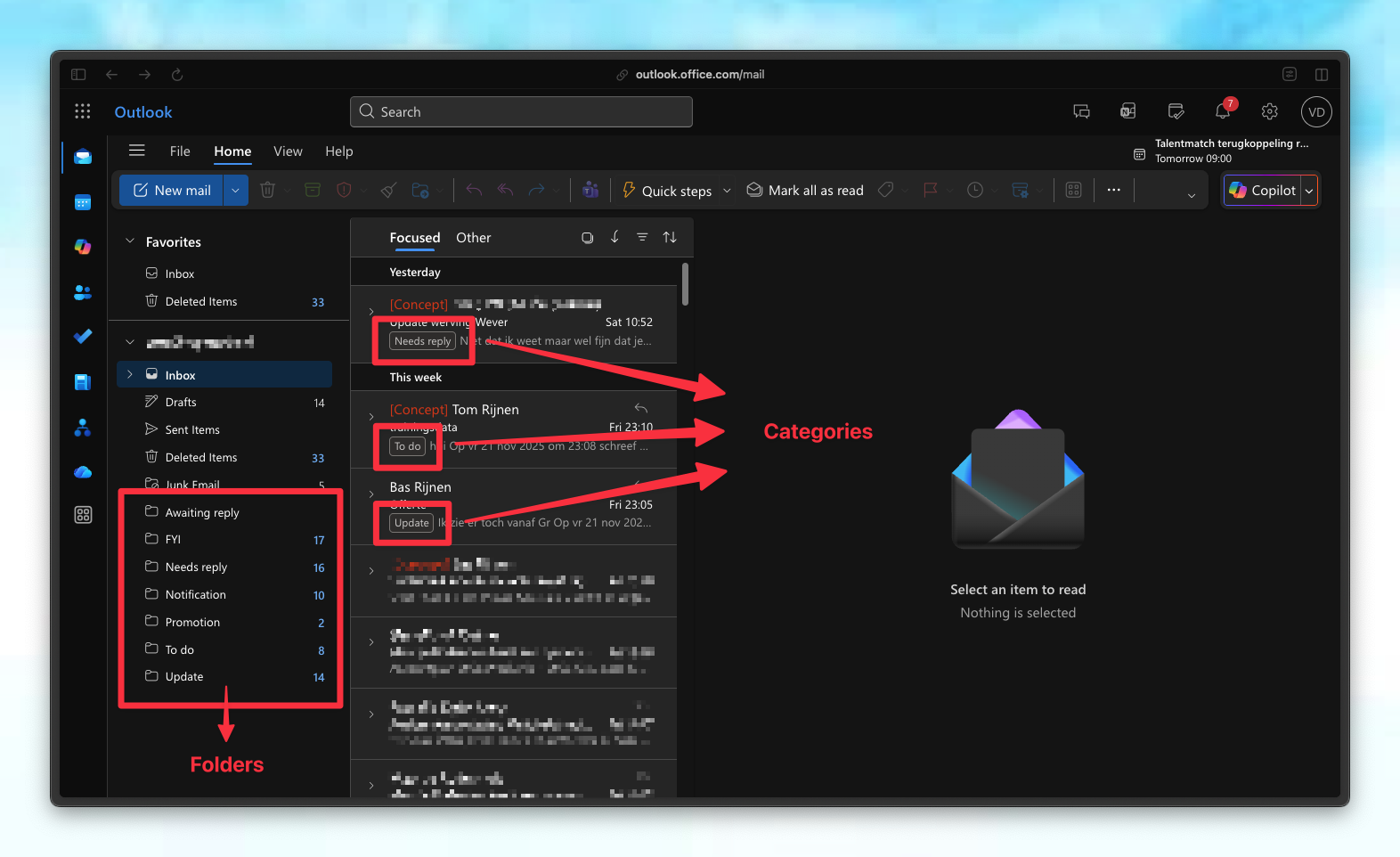
Outlook handles email organization differently than other providers by using two distinct systems: folders and categories. It is important to distinguish between these two Outlook concepts: Folders- Emails are physically relocated to a specific folder.
- An email can only reside in one folder at a time (e.g., “Inbox” OR “To Respond”).
- Best for cleaning up your inbox and filing messages away.
- Categories act as color-coded tags applied to emails.
- The email remains in its current location; it is simply labeled.
- Multiple categories can be applied to a single email.
How Untyped Organizes Your Inbox
Untyped scans and categorizes emails found in your Inbox and Sent Items.- If an existing Outlook rule moves an email before Untyped processes it, the agent will skip it to respect your manual rules.
- Untyped tags every processed email with a category (e.g., “1: To Respond”).
- Move to Folder (Checked): The email is physically moved from the Inbox to the corresponding category folder.
- Apply Category Only (Unchecked): The email remains in your Inbox but receives a colored category tag.
Handling Sent Emails
Untyped ensures your sent items are tracked correctly while keeping your folders organized:- Replies: When you reply to a thread, Untyped moves the entire conversation thread according to your category settings.
- Sent Items: The specific email you sent remains in your “Sent Items” folder.
Configuration
To adjust how Untyped handles folders and categories:- Navigate to the Untyped Dashboard.
- Open Categorization Settings.
- Toggle the checkbox for each category:
- Check to move emails into folders.
- Uncheck to keep emails in the Inbox with category tags only.
- Save your changes.